Workspace for
Devs.
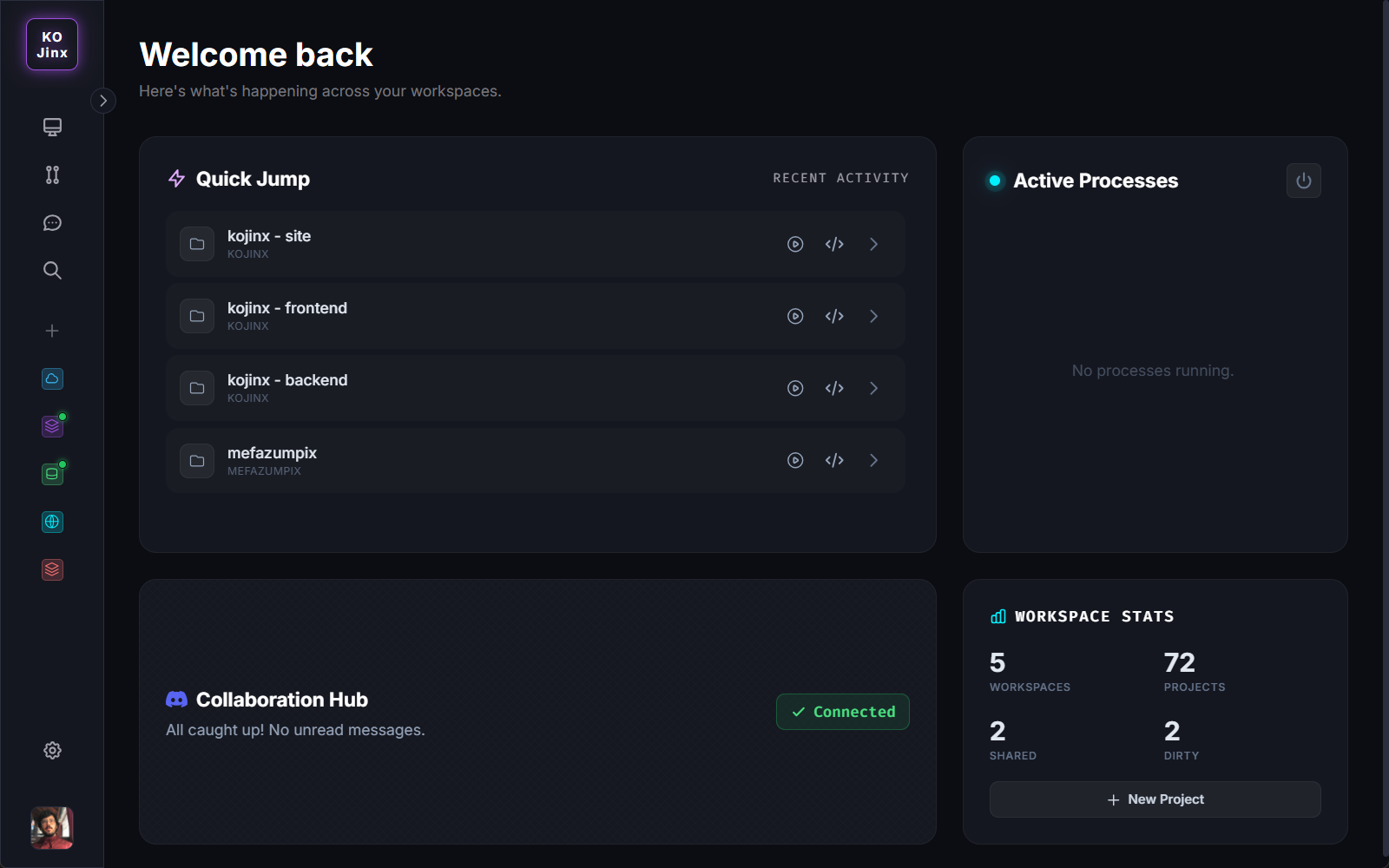
Create separated workspaces for clients, work, or personal projects. Keep repositories organized in the cloud, download them with 1-click, and safely remove them from your machine to free up space when you're done.
Built to orchestrate
your dev environment
Workspaces
Multiple workspaces organize projects according to your workflow. Map local or remote projects. Run locally or open in your IDE with one click. Quickly download or remove files when not in use.
Shared Workspaces
Share workspaces and recommended tools with other devs. Private projects still require clone permissions. Expose secure tunnels and delegate credentials for pair programming and Discord integrations.
GitHub Integration
Logging in with your GitHub credentials populates your profile and allows you to map all your GitHub repositories directly into a Workspace.
Discord Integration
Integrate shared workspaces with your server or Kojinx's. The bot creates a channel structure with automatic permissions. Chat is fully bidirectional between Kojinx and Discord!
Dev Toolbox
Projects and workspaces can have tools attached. The Dev Toolbox lets you view required software and download/install essential tools with a single click.
Source Control
A simple interface that highlights which projects have pending commits or merges. Use primary Git commands to keep everything updated without opening external software.
Search Projects
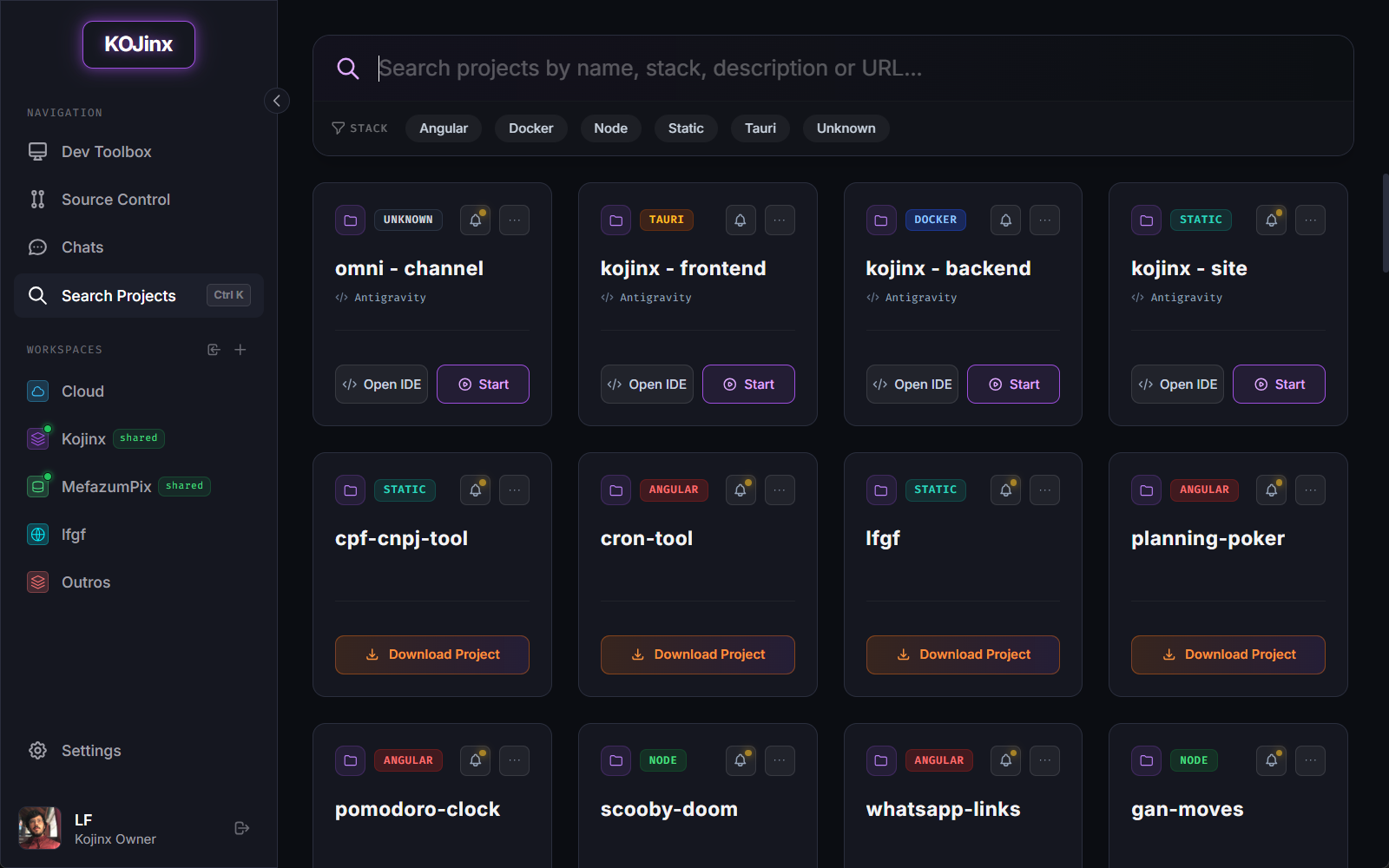
Brings together all projects linked to workspaces and allows filtering by stack or searching by name, description, or URL. Easily find projects you forgot the exact name of.
Task Runner
Add scripts to projects and automatically fetch required inputs. Execute tasks through a clean interface that pre-fills options, so you never wait to provide inputs.
Smart Sweeper
Performs background cleanups, removes unused Docker images, clears NuGet/NPM caches, and much more to reclaim disk space.
API Explorer
A full-featured professional API client built-in. Test your endpoints instantly with drag-and-drop collections, environment variables, and seamless cloud sync.
Docker Engine
Ditch heavy Docker Desktop. Kojinx provisions a lightweight, native Docker Engine inside WSL2 that only starts when you need it, ensuring zero background impact.
We obsess over the details
so you can focus on code
Kojinx is packed with invisible automations and UX conveniences that solve your daily annoyances.
Intelligent Process Manager
The Pain: Projects failing to start because of missing node_modules, or the dreaded EADDRINUSE port conflict from a crashed process.
The Solution: The Kojinx runner auto-detects your stack. If an Angular app has a port collision, it injects --port 0 dynamically. If a process crashes and leaves "zombies" behind, Kojinx hunts down the orphaned node.exe or .NET executables and force-kills them before starting. Missing dependencies? It automatically runs npm install to recover.
AI Integration (BYOK & Local)
The Pain: You want AI to write your commit messages, but you don't want to pay expensive subscriptions or send private code to a single vendor.
The Solution: Kojinx supports Bring-Your-Own-Key for major providers (Gemini, OpenAI, Groq, Anthropic). We even embedded quick links in the UI to get free API keys in one click. Prefer privacy? Connect directly to Ollama running locally—100% free and private.
1-Click Dev Environment
The Pain: Setting up a new machine involves hunting down installers for Node.js, Docker, .NET, and database clients, then clicking "Next" repeatedly.
The Solution: Our built-in native installer acts as a curated hub. Click on Docker, Node, or VS Code, and Kojinx orchestrates the installation silently via Windows Winget. It automatically accepts all EULAs and package agreements, streaming the logs straight to your UI.
Silent Auto-Updates
The Pain: Desktop apps that constantly pop up UAC dialogs or force you to download `.exe` files manually just for a minor bug fix.
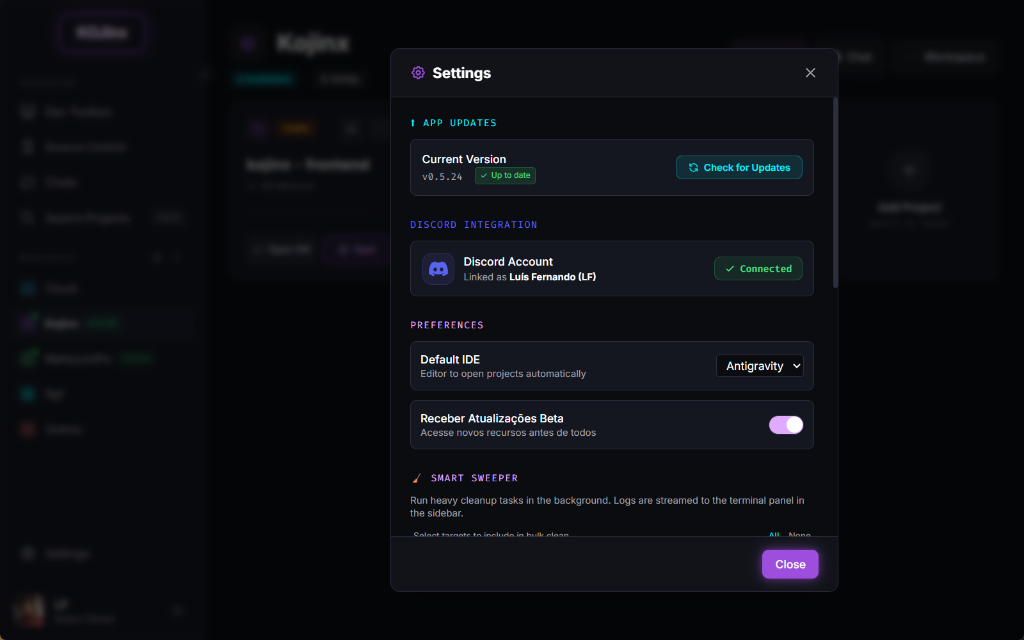
The Solution: Kojinx maintains a real-time Server-Sent Events (SSE) connection with the cloud. When a new version drops, it is downloaded in the background and installed 100% silently using NSIS. You also have total control over default IDEs and beta updates.
Discord & Team Collaboration
The Pain: Context-switching between your code editor and a separate messaging app just to share a snippet or coordinate with your team.
The Solution: Kojinx integrates a native Discord Bot. Link your Discord account, and Kojinx automatically syncs your shared workspaces with Discord channels. Chat, share code, and see who is online directly inside the Kojinx IDE using real-time messaging.
Frictionless Git GUI
The Pain: Fighting with git CLI commands to stage specific files, or opening a heavy third-party Git client just to write a simple commit.
The Solution: Kojinx includes a blazing-fast native Git interface. See your diffs in real-time, click to stage individual files, and generate conventional commit messages automatically using our Magic Wand (AI). Fully integrated so you never have to leave your workspace.
Cross-Platform Task Runner
The Pain: Running custom scripts, database migrations, or test suites requires opening multiple terminal tabs and remembering long CLI arguments.
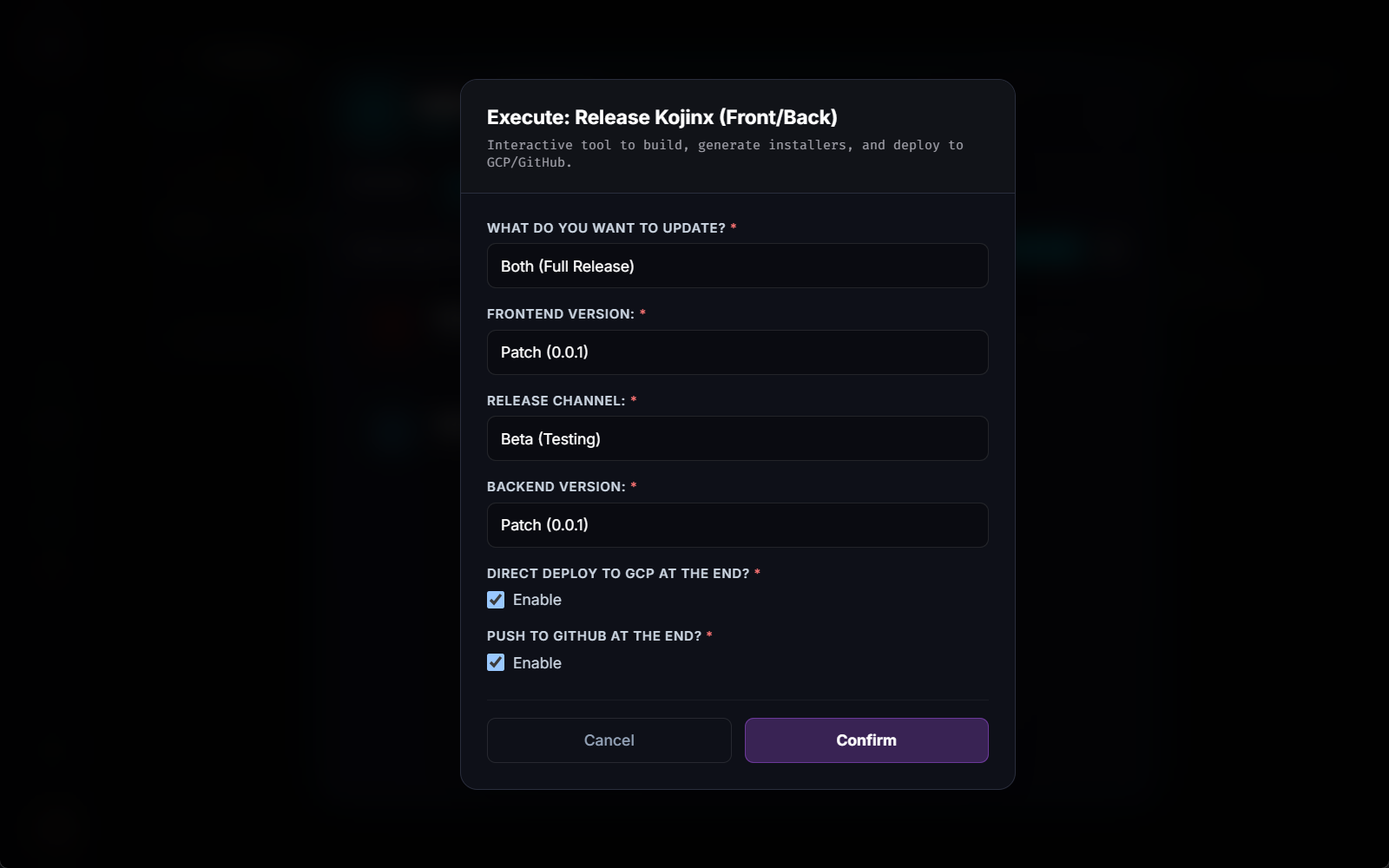
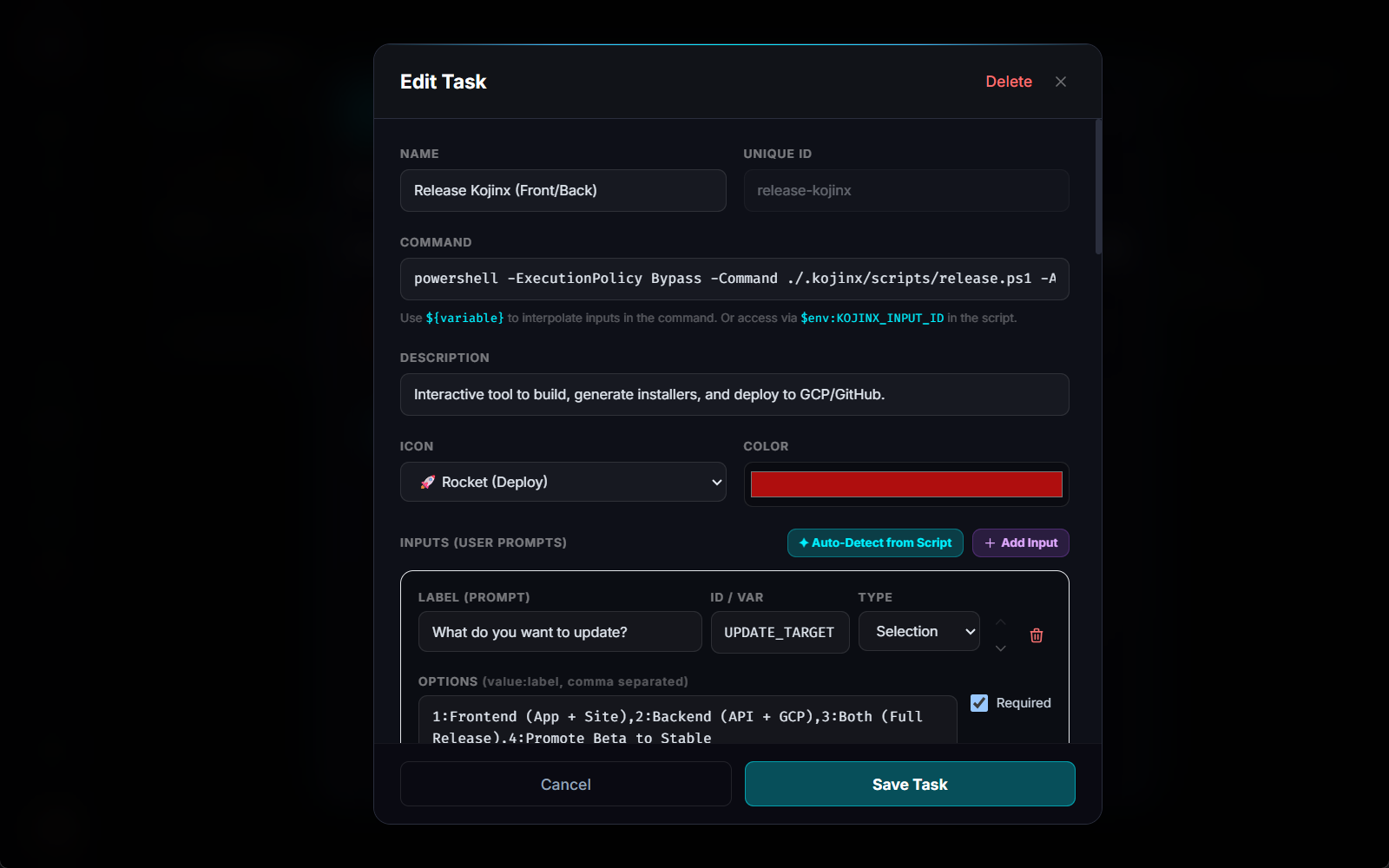
The Solution: Define your recurring commands in a simple tasks.json contract. Kojinx automatically generates a beautiful, practical UI with dynamic inputs. You'll never have to memorize CLI parameters again.

Task-Aware PC Shutdown
The Pain: Waiting hours in front of the screen for a heavy build, Docker compilation, or database dump to finish just so you can turn off your PC.
The Solution: Tell Kojinx to shut down, restart, or hibernate your machine only after all active tasks finish. Go to sleep while your heavy builds run—Kojinx will safely power off your rig automatically when everything completes successfully.
Universal Project Search
The Pain: You have dozens of projects. You remember building a specific feature months ago, but you completely forgot the repository name and where it's saved.
The Solution: Kojinx catalogs all your repositories. Instantly search across your entire workspace by project name, tech stack (Angular, Docker, Tauri), description, or even repository URL. Find what you need without digging through folders.
1-Click GitHub Import
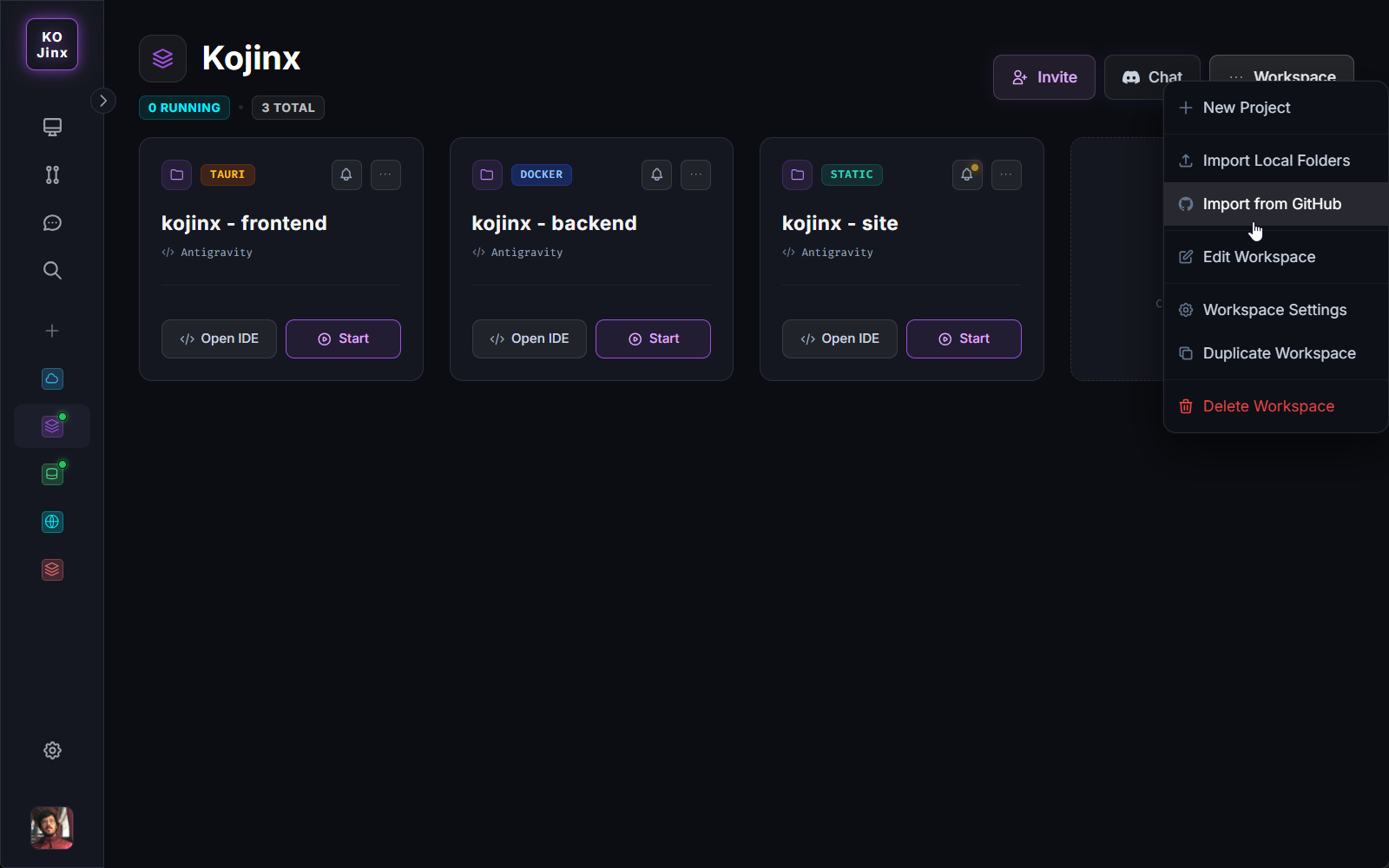
The Pain: Setting up a new machine or a new workspace means manually navigating to GitHub, copying clone URLs, and running git clone dozens of times.
The Solution: Link your GitHub account and Kojinx will map all your remote repositories automatically. Select the ones you want, and they are instantly added to your workspace. Clone them to your local disk with a single click whenever you're ready to code.
Cloud Collaboration & Access Control
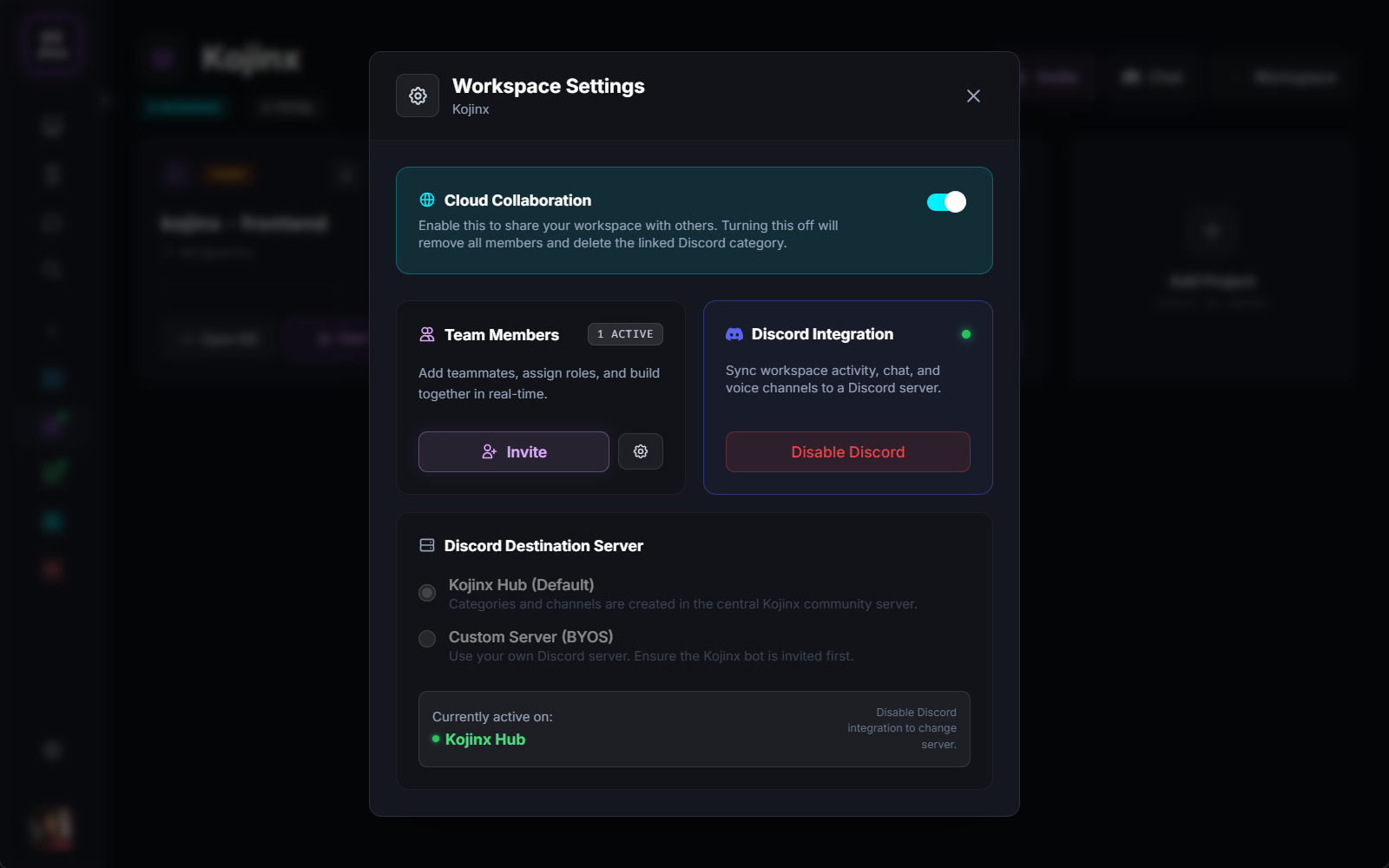
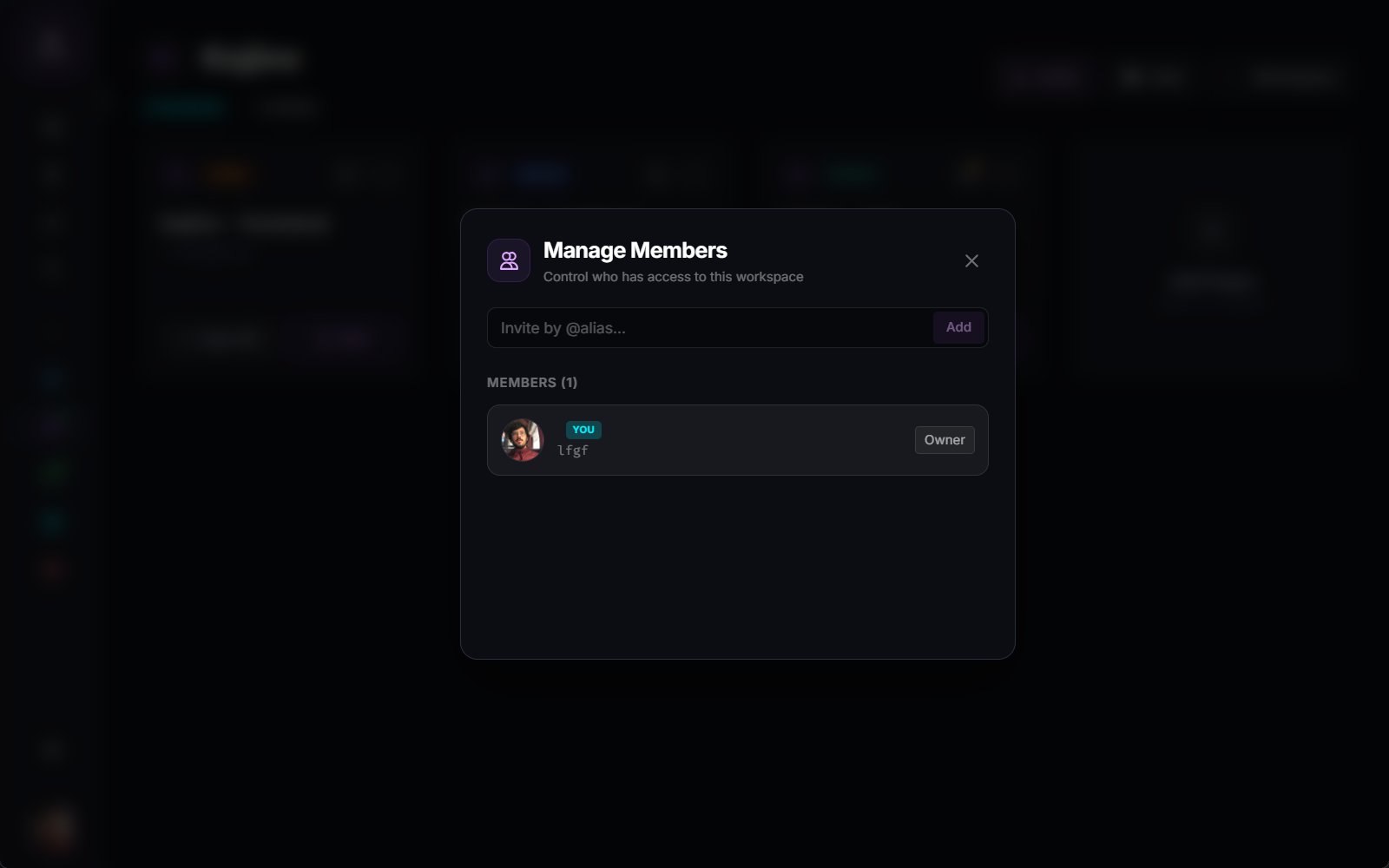
The Pain: Bringing a new developer into a project often requires hours of granting repository permissions, sharing local configs, and explaining environment setups.
The Solution: Toggle "Cloud Collaboration" on any workspace and invite teammates via their Kojinx @alias. They instantly inherit the repository list, Discord channels, and project structure. As the owner, you retain strict control over access and roles.
Comprehensive Project Dashboard
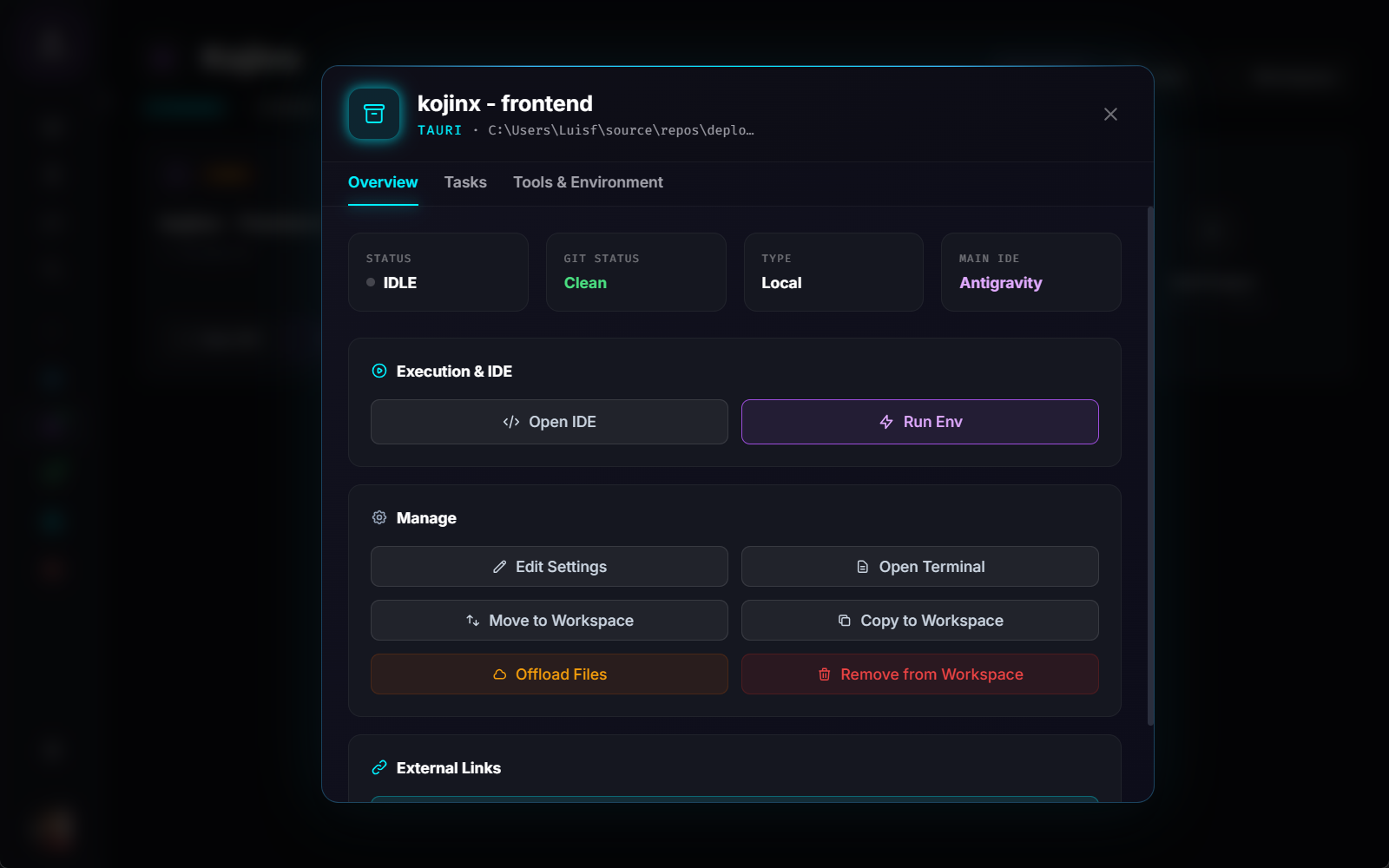
The Pain: Managing a project involves juggling terminal windows, bookmarking staging URLs, and manually deleting build artifacts (like node_modules) to save disk space.
The Solution: Every project gets a dedicated dashboard. Access production links directly, check Git status at a glance, and use "Offload Files" to instantly clean up massive dependency folders when you're taking a break from the project.
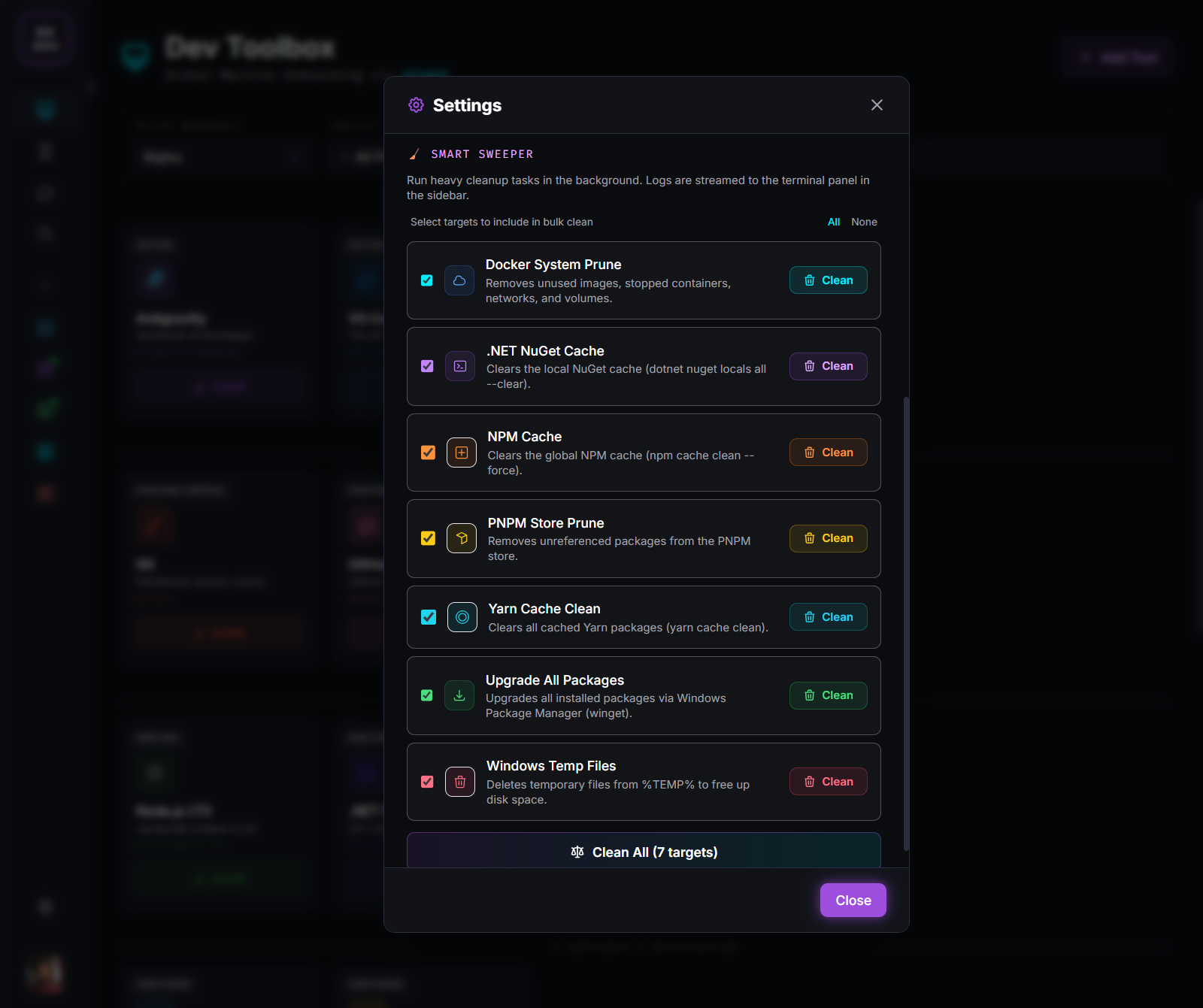
Smart Disk Sweeper
The Pain: node_modules, bin/obj, and Docker volumes silently eat hundreds of gigabytes of your SSD over time.
The Solution: The Smart Sweeper lets you bulk-clean unused dependencies and dangling containers across all your workspaces in a single click, instantly recovering massive amounts of disk space.
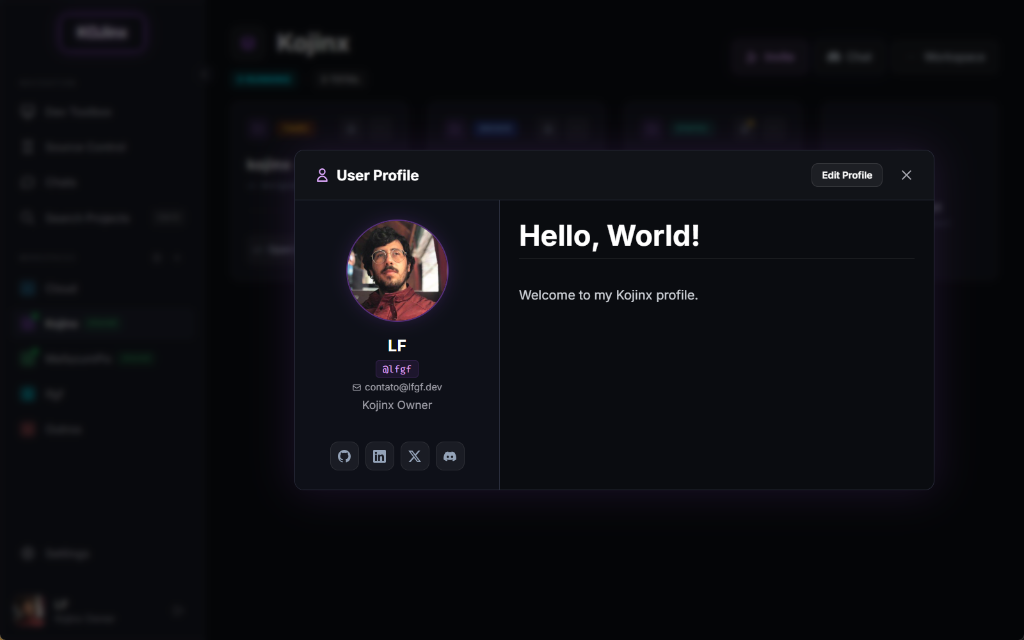
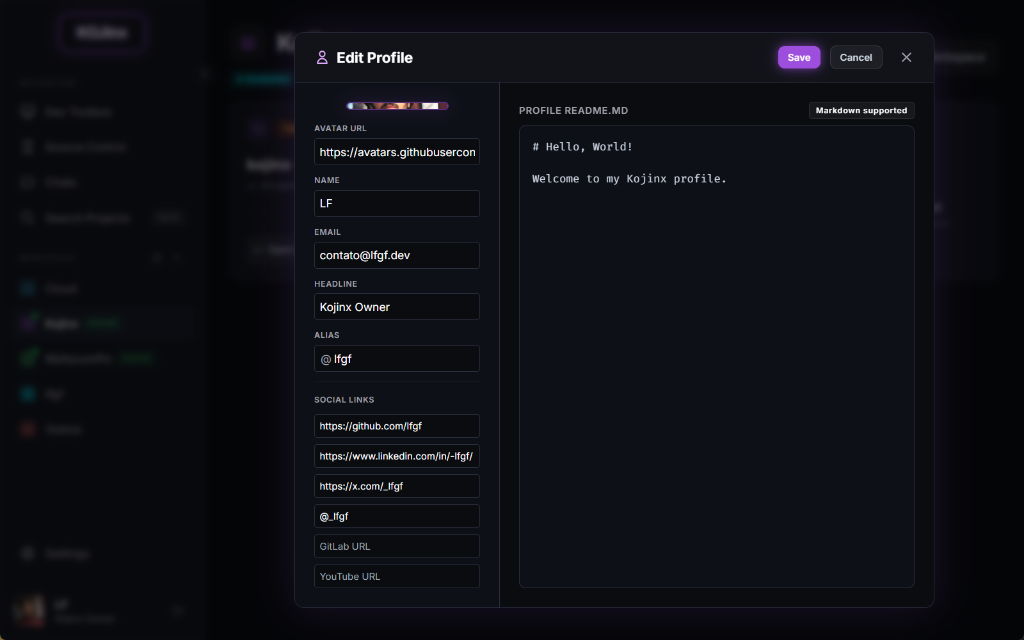
Universal Developer Identity
The Pain: Your identity, social links, and READMEs are scattered across GitHub, LinkedIn, and personal sites.
The Solution: Build your centralized Kojinx Developer Profile. Support full Markdown for your bio, link your socials, and share your identity seamlessly across all your collaborative workspaces.
Zero-CORS Native API Client
The Pain: Opening heavy external tools like Postman just to test one endpoint, running into CORS blocking in local dev, or losing synchronized API collections across your team.
The Solution: Kojinx integrates a blazing-fast, zero-CORS API Explorer directly into your workspace. Configure HTTP methods, headers, dynamic environment variables, and inspect latency and response payloads in real time with synchronized team collections.
Integrated WSL2 Docker Dashboard
The Pain: Docker Desktop consuming 6GB+ of RAM in the background, sluggish CLI container management, and complex WSL2 network troubleshooting.
The Solution: Kojinx provisions a lightweight, native Docker Engine inside WSL2 that only runs when needed. Inspect active containers, stream live stdout/stderr logs into split terminals, prune dangling layers with 1 click, and launch multi-service Docker Compose stacks seamlessly.
Zero-Knowledge Secrets & Passwords
The Pain: Sharing database credentials, API tokens, and private keys over unencrypted chat channels, or accidentally committing .env files to public repositories.
The Solution: Dev Vault delivers military-grade client-side encryption for all your workspace secrets. Mask credentials by default, auto-purge copied tokens from the OS clipboard after 30 seconds, generate high-entropy keys, and export environment configurations straight to standardized .env files.
Disposable Developer Mailboxes
The Pain: Testing user signup flows, magic links, and OTP verifications clutters your real email with hundreds of spam messages and staging notifications.
The Solution: Kojinx Temp Mail generates instant, disposable developer inboxes powered by isolated domains. Receive messages in real time, extract OTP tokens automatically with visual badges, inspect rendered HTML in a secure sandbox, and rotate addresses in seconds.
Your New Workflow
Create a Workspace
Setup a dedicated workspace for a new client or context. No more mixing your personal repositories with your corporate ones.
Add Projects from Cloud
Link your remote repositories. Kojinx keeps them cataloged. When you're ready to work, click once to clone them to your machine automatically.
Run & Cleanup
Hit play to start the dev server inside Kojinx. When finished, hit "Safe Delete" to wipe the code from your disk, leaving only the metadata.
Security by Architecture.
Not by empty promises.
We believe developers should never blindly trust an app with their repositories. We extract every sensitive code path into audited, open-source Trust Modules.
Protocol-Enforced Safety
We use a dedicated GitHub App with strictly metadata:read. The GitHub API physically prevents our servers from reading your repository source code, commits, or file contents.
Open-Source Trust Modules
All OAuth exchange and token encryption logic is completely open source on GitHub and published publicly on NuGet and NPM for anyone to audit.
Local-First: Zero Code in Cloud
Your repositories only exist on your machine. The Kojinx cloud only stores workspace catalog metadata — no source code is ever uploaded, cloned, or scanned on our servers.
Military-Grade Encryption
Tokens use short 8-hour lifecycles with AES-256 DPAPI storage. Shared workspace credentials are encrypted client-side using RSA before transmission.
Transparent Access Matrix
- Repository names, descriptions & clone URLs
- Public / Private visibility status
- GitHub profile username & avatar
- Source code files & project trees
- Git commit history & diffs
- Pull requests, issues & sensitive files
- Local SSH keys or private credentials
Audit the Code Yourself
Inspect the exact pure functions that handle your tokens before installing:
Ready to orchestrate your code?
Get Kojinx today. Keep your repositories organized, your disk clean, and collaborate from any device.
Windows
64-bit (Win 10 / 11)Full dev environment, workspace orchestration, integrated terminal, and project sync.
Android Beta
Android 8.0+ (ARM64)Collaborate anywhere: voice channels, video calls, real-time chat, and mobile screen sharing.
Tap the downloaded file on your Android phone to install directly.